DJI RC1 vs DJI RC2 Compatibility: A Complete Controller Guide
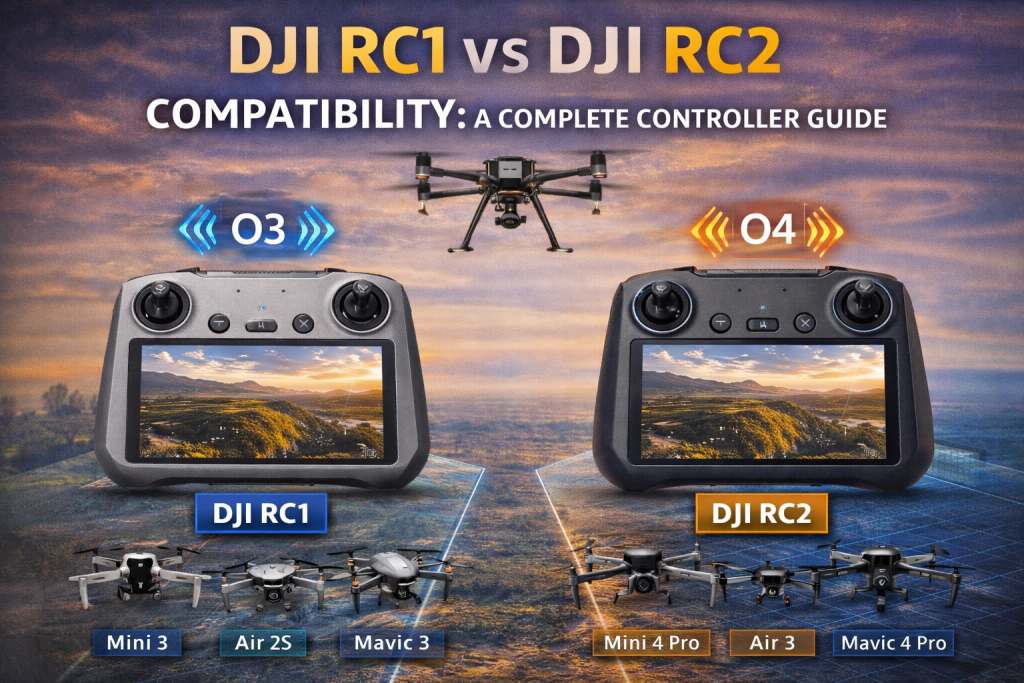
DJI RC1 vs DJI RC2 compatibility is one of the most common questions I encounter from drone pilots, technicians, and aerial mapping professionals. As DJI continues to release newer aircraft with more advanced transmission systems, many users are unsure whether their existing controller will work with newer drones.
From my perspective as someone who regularly works with UAV technology and drone hardware, understanding controller compatibility is essential before purchasing a new drone or upgrading your equipment. Choosing the wrong controller can lead to connectivity issues, limited functionality, or complete incompatibility.
In this guide, I will walk you through the differences between the DJI RC1 and DJI RC2 smart controllers, the drones they support, and why compatibility between controllers and drones is more complex than many pilots initially assume.
Understanding DJI Smart Controllers
DJI designed the RC series smart controllers to simplify drone operations by integrating a built-in screen, eliminating the need for a smartphone or tablet.
Both the DJI RC1 and DJI RC2 offer a streamlined flying experience with:
-
Built-in HD displays
-
Integrated DJI Fly application
-
Direct connection to the aircraft
-
Reduced setup time for drone operations
However, the most important difference between these controllers lies in their transmission technology.
DJI RC1 Controller Compatibility
The DJI RC1 controller compatibility is based on DJI’s OcuSync 3 (O3) and O3+ transmission systems, which powered several earlier consumer and prosumer drones.
These transmission systems provide stable long-range communication between the controller and the drone, supporting high-quality video feeds and reliable control.
Supported Drones for DJI RC1
The following drones are known to work with DJI RC1:
| Supported Drone | Transmission System |
|---|---|
| DJI Mini 3 | O3 |
| DJI Mini 3 Pro | O3 |
| DJI Air 2S | O3 |
| DJI Mavic 3 | O3+ |
| DJI Mavic 3 Classic | O3+ |
| DJI Mavic 3 Cine | O3+ |
| DJI Mavic 3 Pro | O3+ |
These drones rely on the O3/O3+ communication architecture, which was DJI’s flagship transmission system before the introduction of the newer O4 system.
For more details about DJI drone specifications, DJI provides official documentation here:
https://www.dji.com
DJI RC2 Controller Compatibility
When DJI introduced the RC2 controller, it marked a major upgrade in transmission performance and signal stability.
The DJI RC2 supported drones rely on DJI’s newer O4 transmission technology, which significantly improves range, signal reliability, and resistance to interference.
The RC2 controller also features:
-
Enhanced antennas
-
Faster internal processing
-
Improved video transmission
-
Better connection stability in complex environments
Supported Drones for DJI RC2
| Supported Drone | Transmission System |
|---|---|
| DJI Mini 4 Pro | O4 |
| DJI Air 3 | O4 |
| DJI Air 3S | O4 |
| DJI Neo | O4 |
| DJI Flip | O4 |
| DJI Mavic 4 Pro | O4 |
| DJI Mini 5 Pro | O4 |
These drones were specifically designed to work with the new O4 communication system, which is not backward compatible with older O3 controllers.
You can explore DJI’s transmission technologies here:
https://www.dji.com/technology
DJI O3 vs O4 Transmission Systems
Understanding the difference between O3 and O4 transmission systems is critical when analysing DJI RC1 vs DJI RC2 compatibility.
O3 / O3+
-
Used in older DJI drones
-
Reliable long-range signal
-
Supports 1080p video transmission
-
Compatible with DJI RC1
O4 Transmission
-
New generation communication protocol
-
Improved latency and signal strength
-
Greater resistance to interference
-
Designed for DJI RC2
The transition from O3 to O4 explains why many pilots cannot simply pair older controllers with newer drones.
Why Controllers Are Not Always Compatible
One of the biggest misconceptions I encounter in the drone industry is the assumption that any DJI controller can work with any DJI drone. In reality, several technical factors determine compatibility.
1. Transmission Protocol Differences
The most significant limitation comes from the radio transmission protocol.
DJI RC1 operates on O3/O3+, while RC2 operates on O4.
These are fundamentally different communication systems.
2. Firmware Compatibility
Firmware plays a critical role in controller-drone communication.
Both the drone firmware and controller firmware must align, and the DJI Fly application must also support the device pairing.
You can check firmware updates here:
https://www.dji.com/downloads
3. Hardware Capabilities
The RC2 controller includes improved antennas and stronger signal processing hardware.
This allows it to support newer transmission features that older controllers simply cannot handle.
Which Controller Should You Choose?
Choosing between the two depends primarily on which drone you plan to fly.
Choose DJI RC1 if you use:
-
DJI Mini 3
-
DJI Mini 3 Pro
-
DJI Air 2S
-
DJI Mavic 3 series
Choose DJI RC2 if you use:
-
DJI Mini 4 Pro
-
DJI Air 3 / Air 3S
-
Future O4-based drones
If you plan to upgrade to newer DJI aircraft, the RC2 controller is generally the better long-term investment.
My Perspective on DJI Controller Compatibility
From my experience working with drones across inspection, mapping, and aerial monitoring operations, controller compatibility planning is often overlooked.
Pilots focus heavily on drone specifications but forget that the controller ecosystem evolves just as rapidly.
Understanding DJI RC1 vs DJI RC2 compatibility before purchasing equipment can save time, money, and operational frustration.
Whether you’re flying for recreational aerial photography or professional industrial inspections, ensuring your controller supports your drone is fundamental.
Final Thoughts
The conversation around DJI RC1 vs DJI RC2 compatibility highlights a broader trend in drone technology: rapid innovation in transmission systems and onboard hardware.
As DJI continues to release advanced aircraft with stronger communication protocols, we will likely see further separation between controller generations.
For drone pilots, technicians, and organisations relying on UAV technology, staying informed about compatibility ensures smoother operations and better investment decisions.
Before purchasing your next drone or controller, always verify transmission protocol, firmware requirements, and supported devices.
Doing so will guarantee a seamless flying experience and help you get the most out of your equipment.

